More sophisticated piecewise revealing
#one-by-one
#pause may be considered syntactically a bit surprising by some although (or
because) it is very convenient to use.
If you prefer to signal the grouping of content appearing together syntactically
by using scopes, you can use #one-by-one:
#one-by-one[Do you know ][$pi$ ][to a thousand decimal places?]resulting in

If we still want to uncover certain elements one after the other but starting
on a later subslide, we can use the optional start argument of #one-by-one:
#one-by-one(start: 3)[This ][came ][pretty late.]resulting in
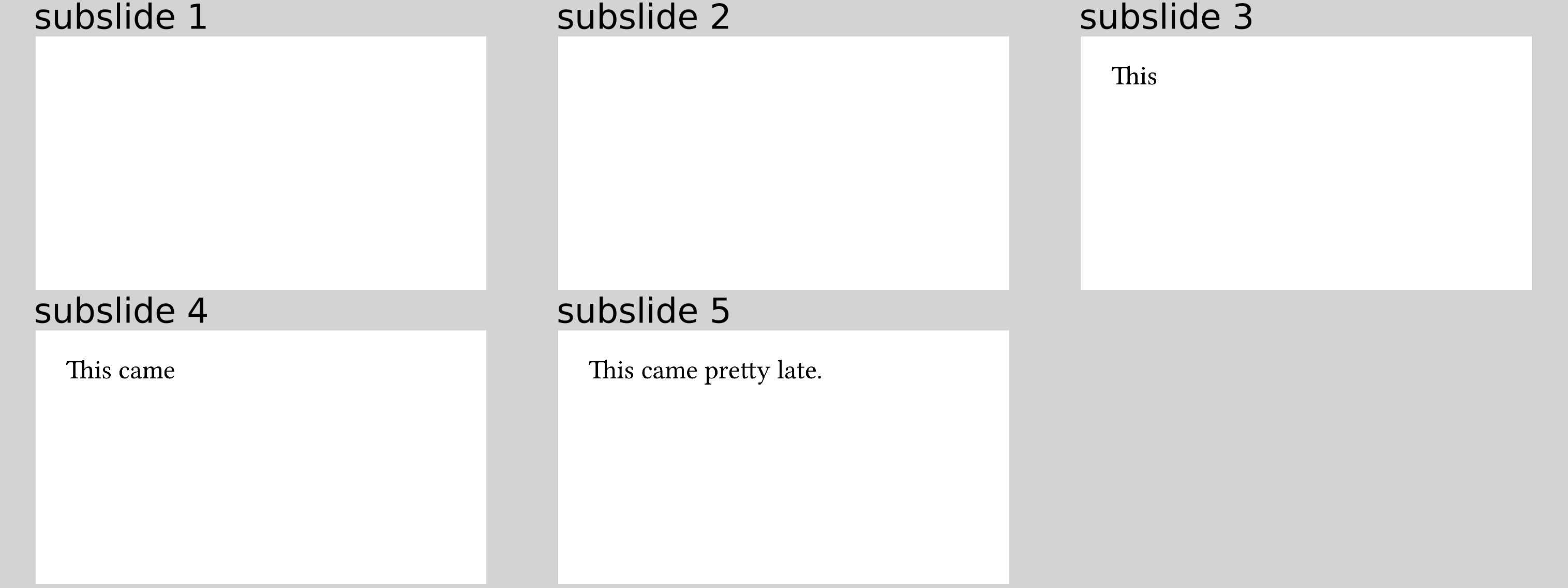
This optional start argument exists for all functions displayed on this page.
#line-by-line
#one-by-one is especially useful for arbitrary contents that you want to display
in that manner.
Sometimes, it produces a bit too much syntactical noise again with
all the brackets between content, though.
That is especially true if each piece fits into a single line, as for example
for a simple bullet list.
Instead of
#one-by-one[
  - first
][
  - second
][
  - third
]
you can also write
#line-by-line[
  - first
  - second
  - third
]
resulting in

The content provided as an argument to #line-by-line is parsed as a sequence
by Typst with one element per line (hence the name of this function).
We then simply iterate over that sequence as if it were given to #one-by-one.
#list-one-by-one
What if you want a more customized bullet list, though?
The code above produces a tight list, for example, and maybe you do not want that.
All your needs are covered by the #list-one-by-one function:
#list-one-by-one(marker: [--], tight: false)[first][second][third]resulting in

As you can see, you can provide any arguments that the
list function accepts.
#enum-one-by-one
Analogously, there is the same thing for enums, accepting the same arguments as
enum:
#enum-one-by-one(numbering: "i)", number-align: start)[first][second][third]resulting in

#terms-one-by-one
And finally we have a function to produce a term list:
#terms-one-by-one(separator: [~---~])[/ first: 1st][/ second: 2nd][/ third: 3rd]resulting in

Note that #list-one-by-one and #enum-one-by-one expect only the body of
the individual items while you need to provide an actual term item (using the
/ term: description syntax) to #terms-one-by-one.
Also, you will realise that the bullet markers, the numbers, and the terms in the lists, enums, and term lists are not hidden for technical reasons, respectively. You can truly consider this either a bug or a feature... (This could be "fixed" for enums and term lists, so file an issue on GitHub if this bothers you a lot!)